|

|
Slides:
the slide itself.
|
|
|
Negatives:
the negative or a good conventional print (photographic print,
prints from laser or jet-ink printers are not accepted), enlarged
if possible.
|
|
|
Digital
images: the unretouched raw file, as initially saved by the
camera. Select the highest resolution and quality* supported
by the camera. We require at least 300 dpi; preferably 400 dpi or
more (applied to the final size of the figure).
[* If your
camera does not support TIF or the RAW format, you may save the
figures as JPG files. Please select the highest possible quality.
JPG files with a size of at least 1 MB are normally of acceptable
quality.]
|
|
If
you want to modify the digital image, do this using a copy of the
original, raw data file. In this case both the original data and
the retouched files should be submitted.
|
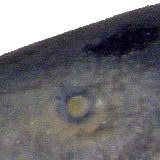
example 1.1

The
quality of the photograph is strongly reduced due to the typical
squares, caused by the JPG format (one square is outlined).
|


|
example 1.2
The
quality of the photograph is strongly reduced due to the typical
squares, caused by the JPG format (one square is outlined).
The
resolution has been increased subsequently.
|


|
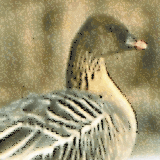
example 1.3

|
|
example 1.4
This
photograph of a beetle is very unsharp.
The
very colourful pixels at the borders of the insect show that the
digital camera is of very low quality.
The
hairs of the beetle are hardly visible, and, caused by the cutting
out of the insect, the hairs are cut off at the borders of the
body.
An object like this should not be cut out. A background of one
colour should be choosen.
|

|
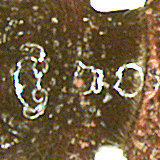
example 1.5
The same object:
The
white circular spots on the surface are caused by the very bright
ring light.
The
structure of the surface is hardly visible.
For photographing, especially for insects, a diffuse
light-source should be used. This can be achieved by a cylinder of
tracing paper around the object.
|
|
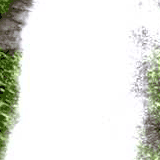
example 1.6
The
red, blue, and green spot are caused by a defect of the digital
camera.
In
addition, the unnatural colours of many pixels show the the
digital camera is of low quality.
|
|
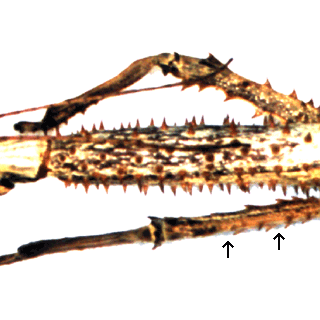
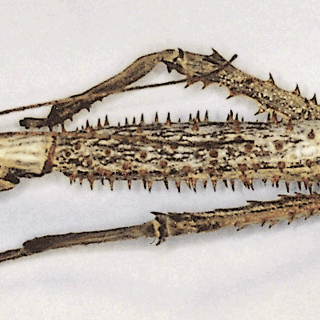
example 1.7a
A photographic print was scanned with a low quality scanner or
with unsuitable settings.
The
colours are unnatural, some areas are too bright and many details
are not visible.
The
background has been removed incompletely (see lower right).
|

|
example 1.7b
The same object scanned once again with a better scanner.
The
figure appears sharper, the colours are more realistic.
The
background does not disturb the whole figure, on the contrary,
with the light shadows the insect appears more tree-dimensional.
Apart from that, in such a case the original slide or negative
film should be submitted.
|
|
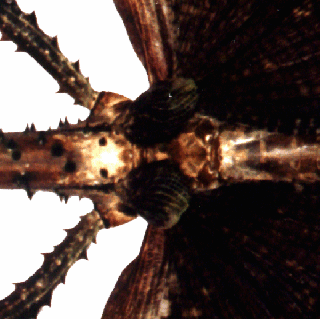
example 1.8a
A photographic print was scanned with a low quality scanner or
with unsuitable settings.
The
colours are unnatural.
Dark
areas are almost black and therefore many details are not visible.
|
|
example 1.8b
The same object scanned once again with a better scanner.
The
figure appears sharper, the colours are more realistic.
All
details even in the dark areas are visible.
|

|
example 1.9
The
violet and red spots are caused by a defect of the digital camera.
The
photograph is very unsharp.
The figure shows the central part of an ammonite.
|


|
example 1.10
Instead
of the usual 256 gray tones this figure has only 16. As a result,
gradients cannot be presented.
The
resolution is too low.
|

|
example 1.11
The
rows of blue and green spots are caused by a defect of the digital
camera.
|

|
example 1.12
This photograph (eye region of a fish) was made with a digital
camera of low quality.
It
is very unsharp.
The
pink-green spotted surface is unnatural.
|

|
example 1.13
The figure shows a waterfall.
In
the water there is no structure visible.
|
|
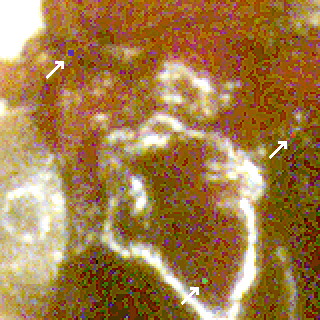
example 1.14
A slide was scanned (eye region of a fish).
The
resolution (400 dpi) is sufficient.
All
details of the original slide are visible.
|
|
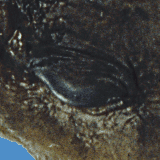
example 1.15
The resolution is too low (205 dpi), the figure is therefore
unsharp.
|
|
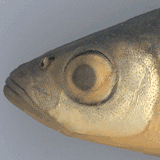
example 1.16
A slide was scanned (eye region of a fish).
The
resolution (400 dpi) is sufficient.
All
details of the original slide are visible.
|
|
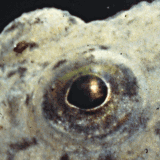
example 1.17
A bad digital image (eye region of a fish):
The
photograph is unsharp.
The
pixels are of unnatural colours.
The
quality of the image is strongly reduced due to the applied JPG
format.
|

|